# Numbers
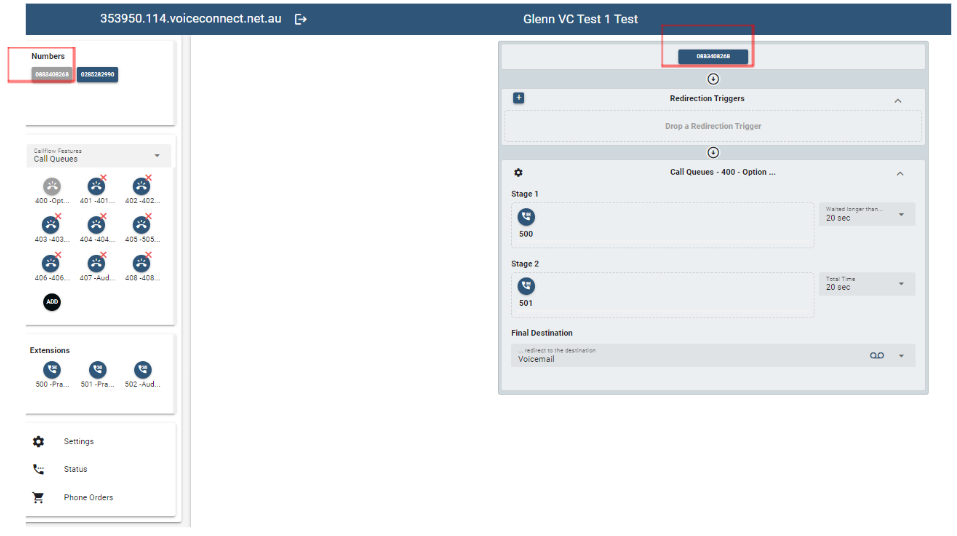
The Numbers section lists the phone numbers that have been added to your Business Phone System.
If the Number is coloured grey, it is currently assigned to an Extension or Call Flow Feature Account
-- see example below.If the Number is coloured blue, it is unassigned and is available for use.
Refer to the configuration documentation for Extensions or Call Flow Features for the instructions on how to assign a Number.
# Additional or Porting / Transferring Numbers
If you require additional Numbers or would like to transfer Numbers that you own with your previous provider, you will need to contact your service provider and request the Numbers be added or ported / transferred to your Business Phone System.
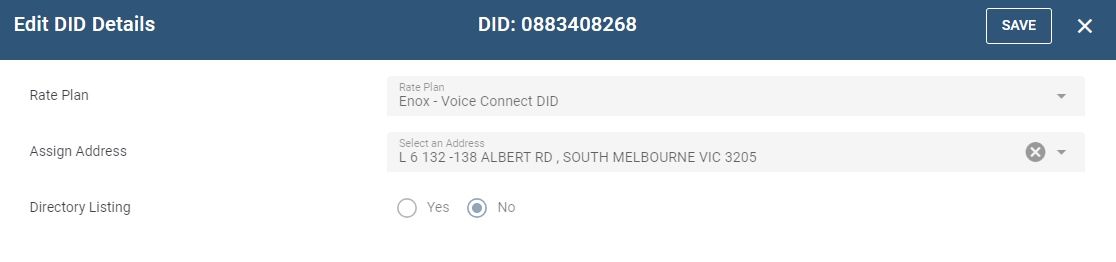
Double Clicking on the number will provide details of how the number has been added to your Business Phone System. However, these details are not editable and you will need to contact your service provider to make any changes (address update etc) to the number.
← Call Flow Extensions →